
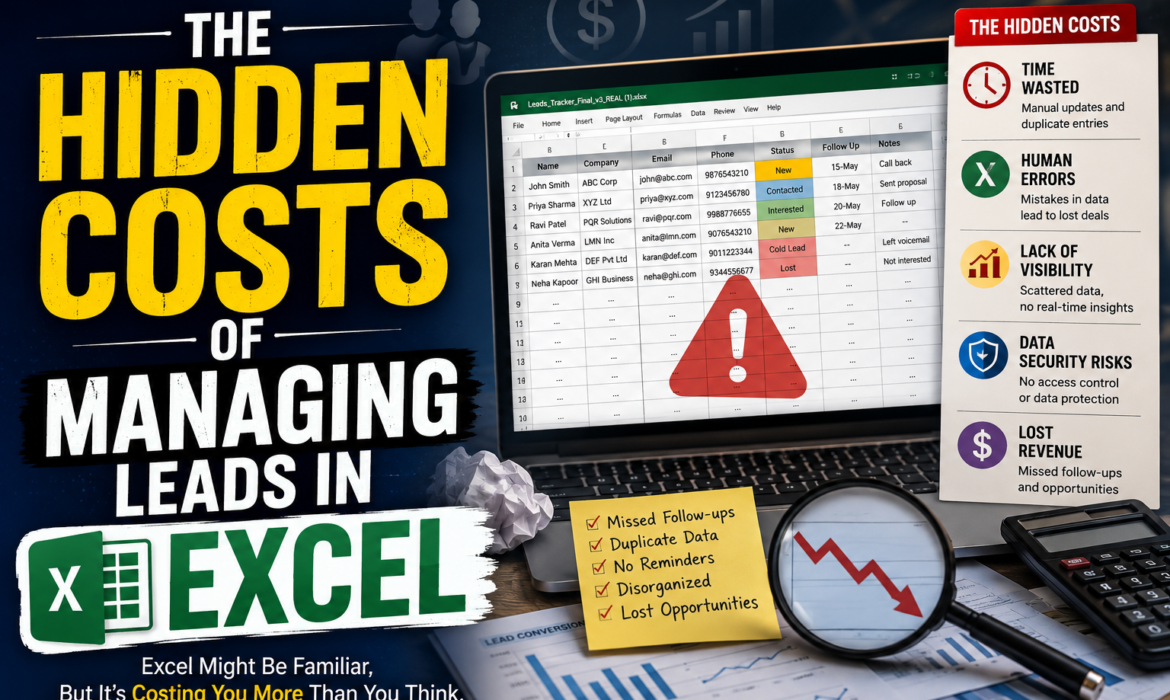
Excel has been a trusted companion for many businesses, and it’s easy to see why. It’s already installed, everyone knows how to use it, and it doesn’t ask for a monthly subscription. But when it comes to lead management in Excel, this comfort can come with a quiet price. The real cost often shows up later — in time spent, opportunities missed, and deals that gently slip away.
Let’s take a respectful look at the hidden costs of managing leads in Excel, and how a dedicated tool can ease much of this burden.
1. Time Spent on Manual Data Entry:
- Every new lead means opening the file, finding the right row, and typing in the details by hand.
- Sales reps often spend several hours a week on this alone — time that could otherwise go into meaningful conversations with prospects.
- Small tasks like these add up quietly, without ever appearing as a line item anywhere.
2. Leads That Quietly Fall Through the Cracks:
Spreadsheets don’t send reminders. There’s no gentle nudge when a lead has gone quiet for a week, and no automatic prompt to follow up. Without proper lead tracking software, follow-ups rely entirely on memory — and memory, however good, isn’t quite the same as a system.
3. Version Confusion and Duplicate Data:
Many teams are familiar with files like “Leads_Final_v2_Updated.xlsx.” When multiple people update the same spreadsheet, small mix-ups are only natural — a missed save, an overwritten cell, or an outdated copy shared by mistake. Over time, this can lead to duplicate entries and conflicting information about the same prospect.
4. Limited Visibility Into the Sales Pipeline:
- How many leads are currently in each stage?
- Which team member is closing the most deals?
- What does this month’s conversion rate look like?
Answering these questions in Excel usually means building a manual report — and by the time it’s ready, the numbers have often already changed.
5. A Few Security Considerations:
Spreadsheets are easy to email, copy, and forward, which also makes them easy to lose track of. A file containing your lead database could end up on a personal laptop, an old email thread, or a shared drive with the wrong permissions — a risk worth being mindful of.
6. Growing Pains as the Business Scales:
What works comfortably for 50 leads can feel quite different at 500. As a business grows, spreadsheets tend to slow down, formulas can break, and the file itself becomes a little more fragile. The hidden costs of managing sales leads in Excel tend to grow right alongside your success.
Excel vs. SaasMagiq: A Gentle Comparison
| Task | The Excel Way | The SaasMagiq Way |
| Adding a new lead | Manually typing details into rows | Captured and organized automatically |
| Following up on time | No reminders; relies on memory | Gentle, automatic follow-up prompts |
| Keeping data consistent | Prone to overwrites and duplicates | One shared, always up-to-date view |
| Understanding the pipeline | Manual reports, quickly outdated | Real-time visual pipeline |
| Scaling with growth | Slower and harder to manage over time | Designed to grow comfortably with you |
This comparison isn’t meant to suggest Excel hasn’t been useful — simply to highlight how much smoother the process can feel with the right support in place.
Why a CRM Changes the Equation:
A thoughtfully designed CRM for lead management can quietly take these burdens off your team’s shoulders. Instead of static rows and columns, it offers automated reminders, a visual pipeline, real-time reporting, and one trustworthy source of information for the whole team.
Choosing the Best CRM for Small Business Needs:
Not every CRM is built with small teams in mind — some can feel overpriced or unnecessarily complex. The best CRM for small business use cases tends to be simple to set up, kind to your budget, and focused on what matters most: capturing leads, tracking conversations, and helping deals move forward.
How SaasMagiq Can Help:
SaasMagiq was built with exactly this in mind — a clean, intuitive alternative to scattered spreadsheets, designed for growing businesses. It brings your leads, follow-ups, and pipeline into one gentle, organized space, so nothing gets lost and no opportunity is left waiting too long.
A few reasons teams appreciate SaasMagiq:
- Purpose-built for small and growing businesses, without unnecessary complexity.
- Automated reminders that help follow-ups happen on time.
- Real-time visibility into the pipeline, without manual reporting.
- A single, consistent view of every lead and conversation.
- Thoughtful data security, with permission-based access.
- A simple setup process, with no steep learning curve.
- Pricing that respects a small business budget.
A Gentle Closing Thought:
Excel isn’t the wrong choice — it’s simply a tool that may have quietly outgrown its role in your sales process. If you’re looking to convert more leads into loyal customers, it may be worth exploring a system built specifically for that journey.
You’re welcome to take a look at what SaasMagiq offers.